

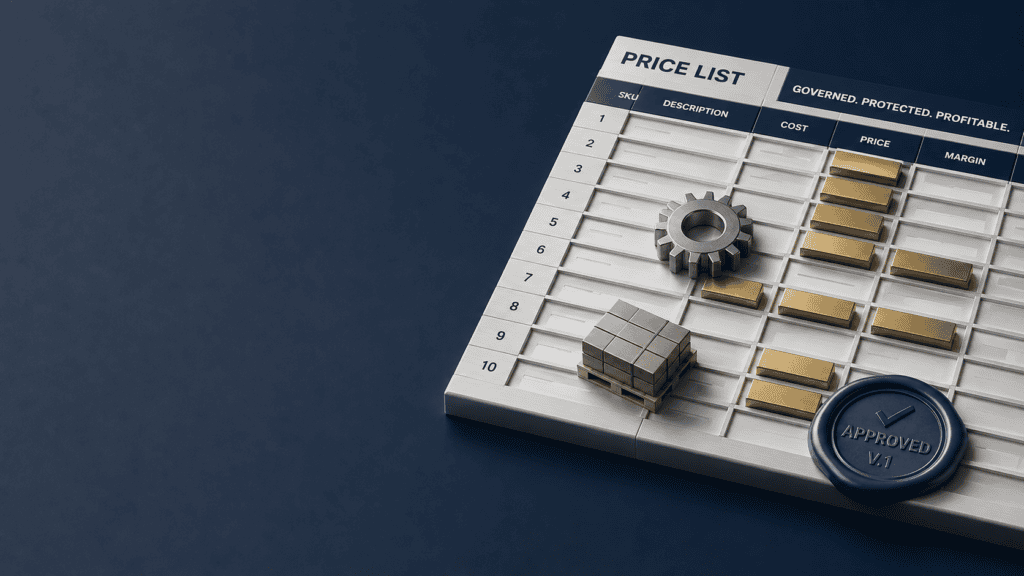

By Enrico Sieni · Revify Analytics · 2026-08-06 · ~13 min read
| A price list template is the control document behind every quote your company sends: the fields, tiers, effective dates, and approval rules that decide what price leaves the building. Most mid-market manufacturers and distributors treat theirs as a formatting exercise, a spreadsheet somebody rebuilds when it starts to look tired. This guide covers the 12 fields the template needs, how to version it so stale prices stop quoting themselves, and how to govern changes so the list protects margin instead of leaking it. A free Excel template is included. |
Table of Contents
What is a price list template, and why does it protect margin?
A price list template is a structured document that lists each sellable item and its price, including SKU, description, unit of measure, list price, tiers, minimums, effective date, and a version stamp to confirm the list is current. While the format is straightforward, the discipline it enforces is essential.
In particular, it’s important to address key operational questions for manufacturers and distributors: who owns the document, when do prices expire, and how do you prevent quoting outdated versions?
For most B2B companies, the price list is not stationary. It is the base of the price waterfall. Every discount is negotiated off it, every tier is measured against it, and every quote inherits its errors. Your true net price is built downward from the list, which means an unmanaged list caps what you can possibly keep. Revify’s analysis of more than 2,000 public companies found that a 1% improvement in net price lifts operating profit by a median of 6.4%. The price list is where that 1% is either defended line by line or conceded before any negotiation starts.
What are the 12 fields every price list template needs?
Most price lists fail due to a missing structure. While the price is always included, essential elements such as dates, versions, and boundaries are often omitted. Ten commercial fields and two control fields address these gaps.
| # | Field | What it holds | The mistake it prevents |
| 1 | SKU / part number | One row per sellable item, your internal identifier | Quotes priced against the wrong item or a dead SKU |
| 2 | Product description | The plain-language name the customer recognizes | Disputes when the quote and the invoice read differently |
| 3 | Category / product family | The product group used for floors and mix analysis | Blanket increases where category logic should differ |
| 4 | Unit of measure | Each, case, pallet, pound, meter | The classic UOM error: a case price quoted per each |
| 5 | Pack / case quantity | Units per sellable pack | Silent loss when pack sizes change and prices do not |
| 6 | Currency | The currency this row prices in | FX drift on cross-border lists nobody rebases |
| 7 | List price | The undiscounted anchor for the waterfall | Discounts negotiated off a number nobody governs |
| 8 | Tier prices | T2 and T3 columns, or named customer tiers | One-off “special pricing” that never expires |
| 9 | Minimum order quantity | The volume floor for the row or tier | Orders that cost more to process than they earn |
| 10 | Freight terms | FOB point, prepaid threshold | Freight given away as an off-list favor |
| 11 | Effective date | When this row’s price starts, and when it ends | The eternal price list nobody dares to touch |
| 12 | Version ID / supersedes | Which list this is and which one it replaces | Two versions circulating at once, both claiming to be current |
Alt text: price list template fields for manufacturers and distributors: the 12-field anatomy
Fields 1 through 10 define the commercial offer, while fields 11 and 12 are control fields that are often overlooked. Without effective dates and a version stamp, a price list lacks credibility.
How do you lay out the price list template in Excel?
Maintain two views within one file. The customer-facing Price List tab contains only the 12 essential fields. The internal Control View tab includes all rows plus additional columns such as landed cost, margin percentages, floor price, last cost update date, and row owner. A third tab holds the version log, and a fourth tab outlines governance rules.
Always export the customer version; do not use it as the master. If sellers edit the export, multiple versions will exist, increasing the risk of errors. The free Revify price list template includes all four prebuilt tabs.
Alt text: free price list template, Excel workbook preview: Price List, Control View, Version Log, and Governance tabs
How do you build a price list from scratch?
Building a price list template involves six steps, and following the correct sequence is more important than the calculations.
- List every active SKU with its landed cost, not just the invoice cost. Include freight, duty, and handling in the cost basis to ensure accurate margins.
- Establish the margin floor for each category in the Control View before setting any prices.
- Set list prices based on market benchmarks, not solely on cost.
- Include tiers, minimum order quantities, and freight thresholds as fields in the price list.
- Assign an effective date to each row and a version ID to the entire list.
- Publish the customer view, update the ERP, and archive the old file on the same day.
Determine the margin floor before establishing the list price.
The floor price formula is: floor price = cost / (1 – minimum margin). For example, a part with a $7.30 landed cost and a 27% minimum margin has a floor of $10.00. The floor should be recorded in the Control View next to each row to ensure that discount discussions are based on clear calculations. Without a defined floor, governance is not possible; a discount is only excessive if there is a set threshold.
Anchor to market, not just cost
Cost-plus is a fine starting point and a poor finishing point, something we cover in depth in our guide to cost-plus pricing. Two reminders while you set anchors. First, markup and margin are not the same number: margin = markup / (1 + markup), so a 30% markup is a 23.1% margin, and confusing the two builds a 7-point error into every row that uses it. Second, uniform markups hand your mix decisions to your suppliers, because whatever they charge you dictates what you charge the market. Price the commodity lines to the market, price the specialty lines to their value, and let the floors catch the bottom.
How should tiers, minimums, and freight appear on the list?
Tiers, minimums, and freight terms should be documented as explicit fields. If a tier is not recorded, it becomes an undocumented discount with no expiry or audit trail.
List tier prices in columns with clear breakpoints. Where possible, use marginal-tier logic instead of cliff logic, as explained in our wholesale pricing tiers guide. Display the minimum order quantity and prepaid freight threshold on the relevant rows. Any term a seller can offer should be included as a field in the price list. Any item not listed is an exception that requires approval and an expiry date.
How do you version a price list without breaking your quotes?
Versioning distinguishes a managed price list template from a basic shared spreadsheet. This requires three straightforward mechanisms.
Alt text: price list version control lifecycle: draft, approve, publish, supersede
Effective dates and expiry on every line
Each row should include its effective date and, if applicable, its expiry date. Line-level dates enable staggered increases, support promotions without additional files, and ensure quotes reference the correct version. List-level dates alone are insufficient.
The version log
Use clear, human-readable names for versions, such as PL-2026-Q3-v2, to indicate the list, period, and revision. The version log should include six columns: version, effective date, lines changed, reason, requested by, and approved by. Only the current and a pending future version should be active; all older versions must be archived, read-only, and removed from shared drives. Multiple files labeled FINAL can lead to quoting outdated prices.
Keeping the sheet, the ERP, and CPQ in sync
The ERP price master, whether in SAP, Oracle, Dynamics, or NetSuite, executes prices but does not determine them. The governed price list serves as the decision record; all changes are made and approved there before being loaded into the ERP and exported to customer views. Avoid allowing the ERP export to serve as the working list, as this leads to multiple inconsistent versions. Maintain a one-way flow: decide in the price list, load the ERP, export the views, and do not edit downstream.
How do you govern who can change the price list?
Assign a single, named owner to the price list template, rather than a committee or general group. According to our 2025 Revenue Growth Analytics Maturity Report, 61% of companies still use manual, inconsistent discounting processes, often due to a lack of clear ownership. When no one owns the document, everyone edits it.
The governance page in the template is deliberately short:
- The owner maintains the list, runs the review cadence, and controls the version log.
- List price changes need the owner plus a finance sign-off against the floors.
- New customer-specific lists require a commercial lead’s approval and an annual expiry date.
- Any price below the floor is an exception: logged, approved by name, and dated.
- The exception report goes to leadership monthly, sorted by margin given up.
The final point is critical: exceptions often undermine governance. A monthly report listing approvals by cost helps maintain accountability. For manufacturers selling through channel partners, the governance page should also state reseller price expectations, as detailed in our MAP policy guide.
How often should you update your price list?
On a calendar and on triggers, never on nostalgia. Producer prices for final demand rose 5.5% over the year ended June 2026, per the Bureau of Labor Statistics. Against that backdrop, a price list frozen for 14 months is not stable. It is a standing discount that increases every month, and no one approved it. Document the update schedule in the governance tab of the price list template. For most mid-market manufacturers and distributors, this includes a quarterly review of floors and anchors, an annual full rebuild, and event-based triggers. Reprice affected rows when supplier costs exceed a threshold, tariffs change, freight contracts reset, or currency rates shift. The Control View helps identify which rows require updates and by how much.
Updating the list is the analytical half. Landing the increase with customers is the commercial half, and it deserves its own playbook: our guide to communicating price increases covers the letters and the conversations. One more nuance while you set the cadence: not every line moves up. A credible update that trims a few overpriced rows earns goodwill for the many that rise and signals that the list is managed rather than inflated.
Where do price lists leak margin?
Margin leakage rarely occurs within the list itself but typically results from how it is managed, in five common areas.
- Stale copies in circulation: The version in a seller’s inbox is often the one quoted to customers. If version 5 is current but version 3 is still being used, the difference becomes an untracked discount.
- Off-list quoting: Prices entered from memory or copied from previous deals can lead to errors. Without margin floors in the Control View, these discrepancies may go unnoticed until identified in margin reports.
- Customer-specific list sprawl: Special price lists can proliferate with each negotiation, resulting in numerous bespoke files without expiry dates or reconciliation to the master list.
- Rounding and currency drift: Rounding prices for simplicity and using outdated FX rates can compound errors across many rows.
- Discounts applied to outdated lists: For example, a 12% discount on a list that is already 5% outdated results in a 17% total concession, though it appears to be only 12%.
These are the same mechanics we map out in our guide to eliminating margin leakage, applied to the document at the top of the waterfall.
What does a worked example look like?
Consider a composite distributor with $80 million in revenue, 3,200 active SKUs, a 24% gross margin, and a price list last updated 14 months ago.
Blended supplier costs have increased by approximately 5% since the last update. With a 24% margin, cost represents 76% of price, so a 5% cost increase results in a 3.8-point margin loss on affected lines. If cost inflation impacts one-third of the portfolio, this equates to a 1.3-point reduction in company gross margin, or about $1 million annually, in the absence of any approved discounts.
Alt text: stale price list margin erosion worked example: 5 percent cost rise, 3.8 points of margin
The price list template rebuild follows the six steps. Landed costs refreshed, floors set by category in the Control View, anchors reset against the market, tiers and minimums printed as fields, every row stamped with a September 1 effective date, and the file published as PL-2026-Q3-v1. The ERP is loaded from the list, the old file is archived the same afternoon, and the letters for the price increase go out via the price increase playbook. The prize for the discipline: every point of net price recovered is worth a 6.4% median lift in operating profit, and unlike a cost program, it repeats every quarter; the list stays governed.
Should your price list live in Excel, the ERP, or pricing software?
The appropriate solution depends on the company’s scale and ownership of the pricing function. As a general guideline:
| Situation | Governed workbook | ERP price master | Pricing software | Managed pricing service |
| Under ~5,000 SKUs, one entity, one currency | Fits | Executes the list | Overkill | If nobody owns pricing |
| 10,000+ SKUs or heavy customer-specific pricing | Strains | Helps | Fits | Fits alongside |
| Multiple entities, currencies, or channels | Breaks | Partial | Fits | Fits alongside |
| No pricing owner, leakage visible in margins | Not the problem | Not the problem | Premature | Start here |
The process sequence is more important than the tool itself. Using a pricing tool with an ungoverned template can lead to uncontrolled price increases. Establish fields, versioning, and ownership first to ensure future software decisions are more effective and cost-efficient.
What mistakes should you avoid?
- Avoid treating the price list template as a design placeholder. While showing a visible starting price is a must, margin protection depends on how the list functions.
- Do not create separate files for each customer. Instead, structure customer pricing using tiers and governed exceptions.
- Assuming an update means an increase. Version discipline is about accuracy and control. Expect some price increases and some decreases.
- Do not refer to the ERP as the price list. The ERP executes prices, but the governed, versioned list is where pricing decisions are made and maintained.
- Avoid adding unnecessary tabs in place of proper governance. Excessive tabs can allow outdated prices to persist undetected.
- Publishing without retiring. Every rebuild that leaves the old file in the shared drive has shipped two price lists, not one.
Frequently asked questions
What should be included in a price list?
A price list should include twelve fields: SKU, description, category, unit of measure, pack quantity, currency, list price, tier prices, minimum order quantity, freight terms, effective date, and version ID. The first ten define the offer, while the last two ensure governance. These final two fields are often missing from template galleries.
How do I make a price list template in Excel?
Create four tabs: a customer-facing Price List with the twelve fields, an internal Control View with cost, margin, and floor columns, a Version Log, and a one-page Governance tab. Keep the master file internal and export the customer view. Alternatively, use the free Revify price list template, which includes all four tabs and necessary formulas.
What is the difference between a price list, a price book, and a quote?
The price list is the authoritative document for standard prices and tiers. A price book is typically the ERP or CPQ object that executes these prices in transactions. A quote applies the list to a specific customer and situation, including any approved exceptions. The list determines prices, the book executes them, and the quote applies them.
How often should a price list be updated?
Review margin floors and market anchors quarterly, rebuild the price list annually, and reprice affected rows when supplier costs exceed thresholds, tariffs change, freight contracts reset, or currency rates fluctuate. With producer prices rising 5.5% in the year to June 2026, relying solely on annual updates can result in lost margin between versions.
Should every customer see the same price list?
All customers should be priced from the same master list using structured tiers. Customer-specific lists may be appropriate for strategic accounts, but each must have an owner, an expiry date, and be reconciled regularly with the master list. Maintaining numerous bespoke lists without these controls leads to unmanaged discounting and ineffective key-account management.
The principle underneath all of it
Companies rarely lose margin due to incorrect list prices at launch. Margin is lost over time as costs change, copies proliferate, versions become unclear, and exceptions accumulate without oversight. The solution is not simply better pricing, but a well-managed document: twelve fields, two views, one owner, a version log, and a defined update cadence. Build the price list template once, govern it consistently, and it becomes a tool for protecting margin rather than a source of loss.
| Start Your Profit Diagnostic. See where stale list prices, off-list quotes, and ungoverned tiers are draining your pocket price, and what a governed price list would recover. And take the free price list template with you: build, version, and govern yours starting this week. |
About the author
| Enrico Sieni Co-Founder, Revify Analytics Enrico Sieni has spent more than two decades leading pricing and revenue growth for manufacturers and distributors. He has built and run three pricing teams from the ground up, which is part of why he is convinced most mid-market companies do not need one of their own. At Revify Analytics he helps these companies install the discipline, governance, and seller-level tracking that turn price realisation from a once-a-year surprise into a number they manage every week. He writes about the practical side of pricing: what actually moves margin, and what only sounds good in a deck. |